Background
This is a high-fidelity prototype I created with Figma, utilizing the actual design system while the ideation and UX were being built on Figma at the same time. The goal was to find how potential customers feel on switching wireless solely using agentic AI conversation.
Set up
10 non-AT&T customers, recruited through User Zoom, were brought in to the office in May 2026 for a moderated user study. Unlike surveys or unmoderated user studies, moderated study’s goal is to dig deeper and extract customers’ feeling, concerns and delight.
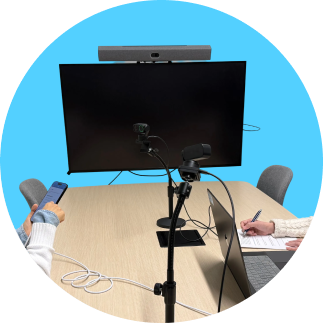
The setup was identical as the previous moderated study: we set up a smartphone with internet connection and the prototype link already loaded; 2 of fancy motion-tracking webcam’s on a flexible webcam stand; and a laptop that will record both the device screen and the user’s reaction videos at the same time on a split screen. When you extract the transcription on any of your preferred (and corporate-approved) AI tool, make sure you get the speaker identifier (researcher vs. subject)!
Prototype structure
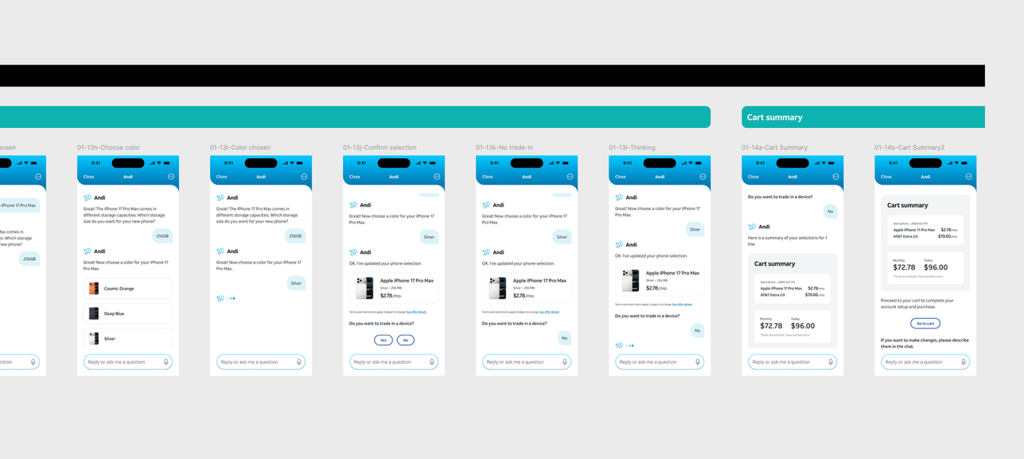
There are about 50 screens for our test subjects to go through on a no-error happy path. Since the shopping cart and checkout (payment) steps haven’t been a part of the scope, this experience expands from capturing the user intent of switching, the typical steps of sales on conversational AI, and finishing by taking the user to the cart of the main app (by closing the conversation).
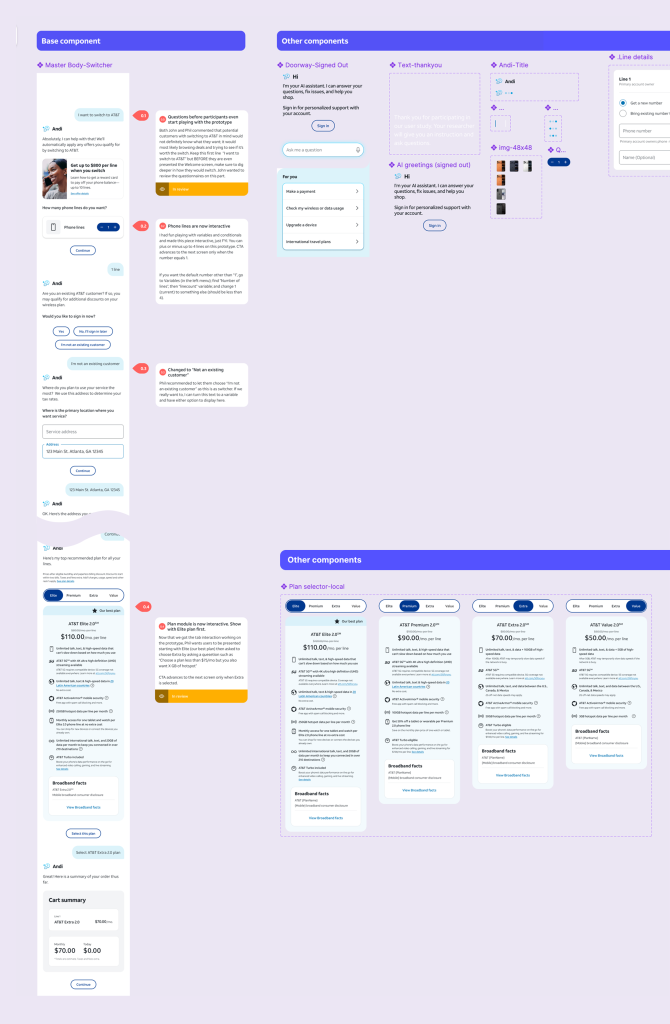
The back side of the linear steps is one long conversation component with multiple components, variants, and a few simple IF-ELSE custom interactions.
See the prototype (on your phone, here or in recording)
Want to see the prototype in action?
- Here’s a link you can click on your browser: tinyurl.com/switcher2026
- Or you can scan the below QR code to see the prototype on your own phone. Just make sure to “Add to Home Screen” first to avoid your browser UI, which is not part of the prototype.
3. Or you can see this in recording.